Got a discount code from us, or from someone who already uses ReviewMySites? It takes money off your first subscription. You can open the link you were sent, or type the code on the Billing page. Either way, the price changes in front of you before you pay.
Before you start
- An account. If you do not have one yet, sign up free. It takes a minute.
- A confirmed email address. Click the link in the email we send when you sign up.
- You own the workspace. Only the owner pays for a workspace, so only the owner sees the code box.
- Your first subscription. A code is for someone who has not paid for ReviewMySites before. One per person.
The quick way: open the link
If you were sent a link, open it. It looks like this, with your code at the end:
app.reviewmysites.com/settings/billing?code=YOURCODE
Not signed in? You are asked to sign in or sign up first, then brought back to the Billing page with the code already applied. A green line at the top says what the code gives you. Choose your plan and continue to payment.
Or type the code
- Open Billing
In ReviewMySites, go to Settings, then Billing. Pick your plan, how many seats, and whether to pay monthly or yearly.
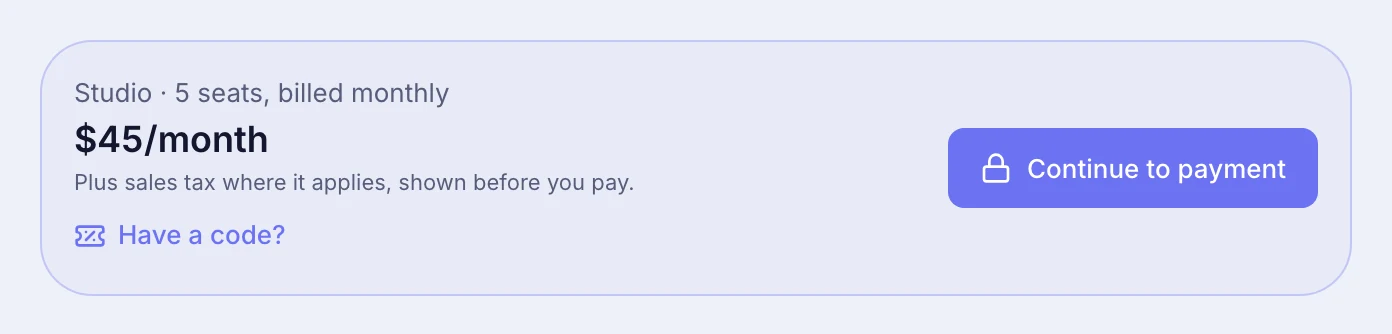
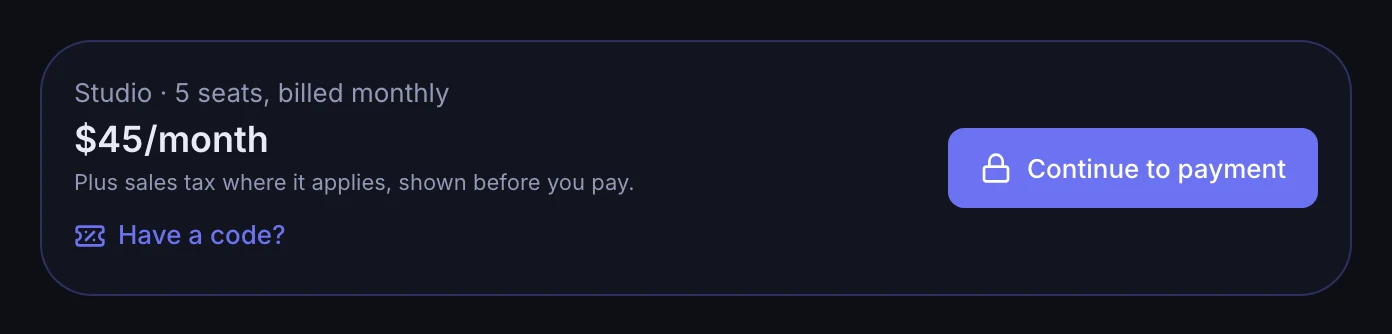
- Click Have a code?
It sits in the price card, under the line about tax.
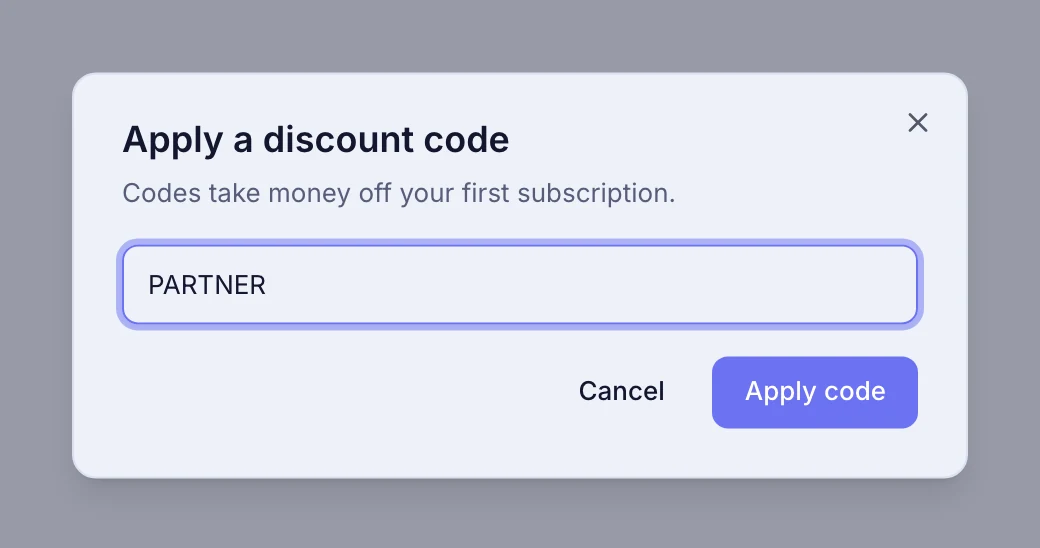
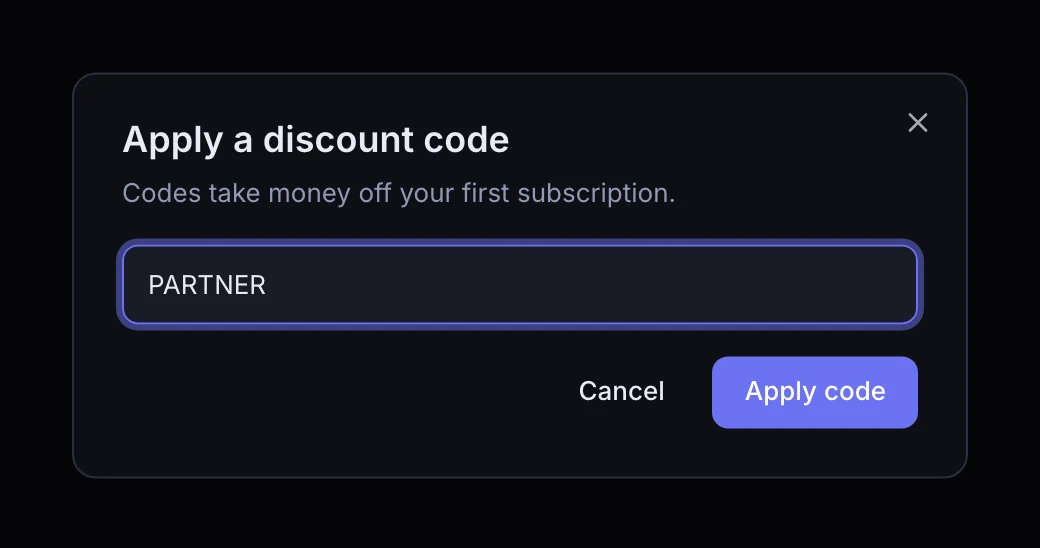
- Type your code and click Apply code
Capital letters do not matter. We check the code on the spot.
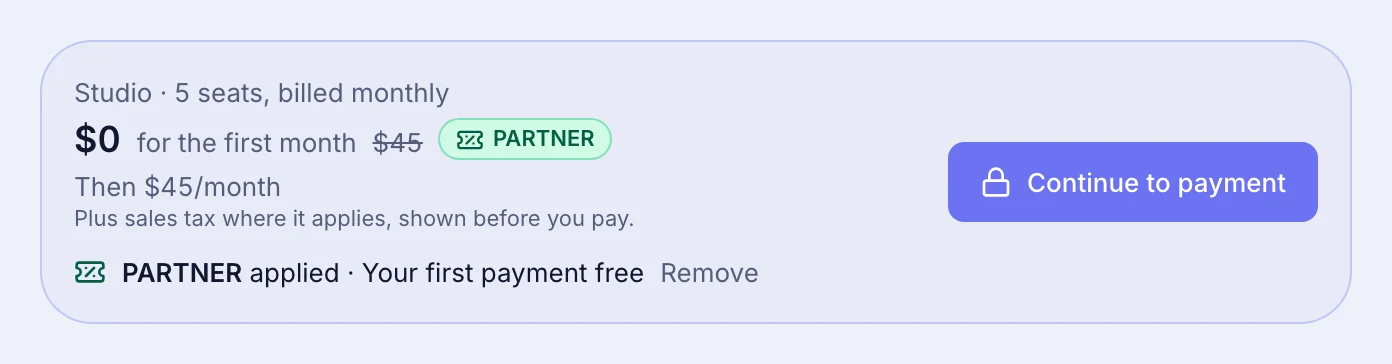
- Check the price
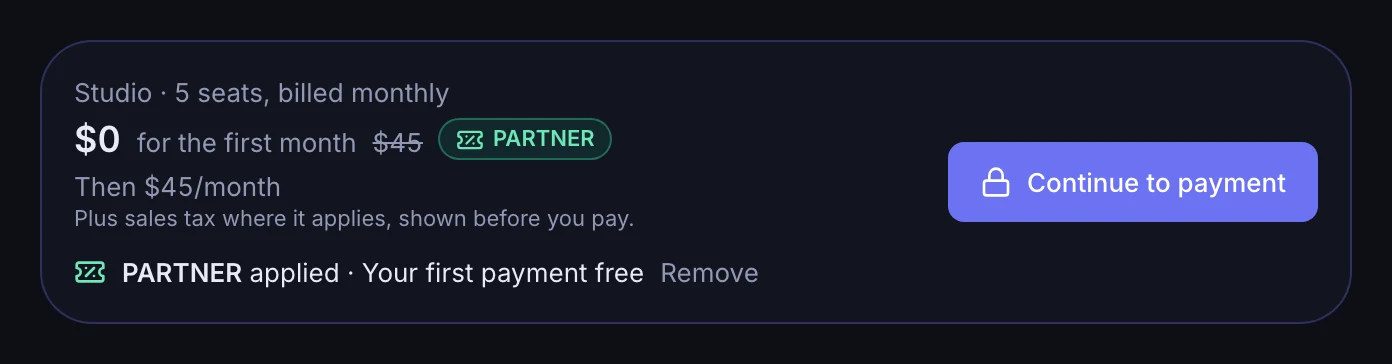
The price card now shows what you pay for the first payment, the usual price crossed out, and a green tag with your code, so you can see the code did it. Under it: what you pay after that.
- Continue to payment
Add your card and confirm. If the code makes the first payment free, you pay nothing today.
What the price card tells you
A code covers the prices it was made for. The card always says what that means for the plan you chose.
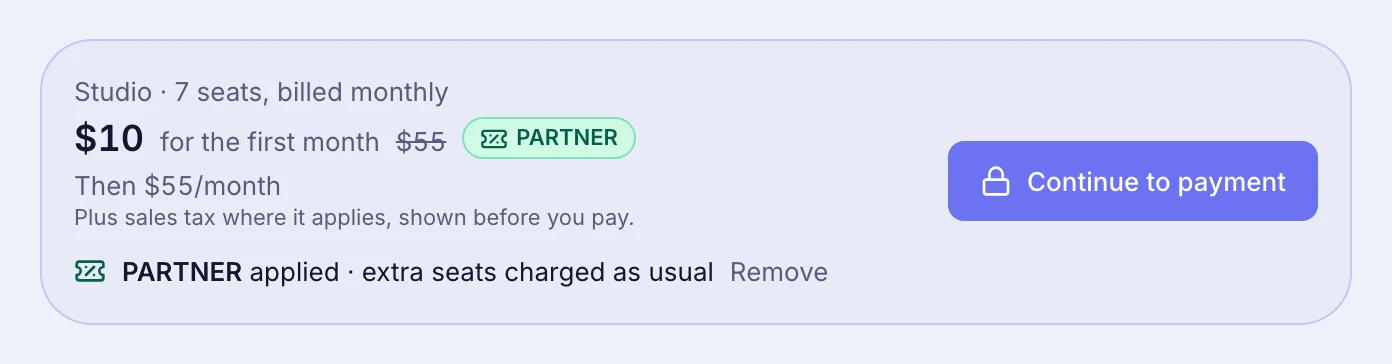
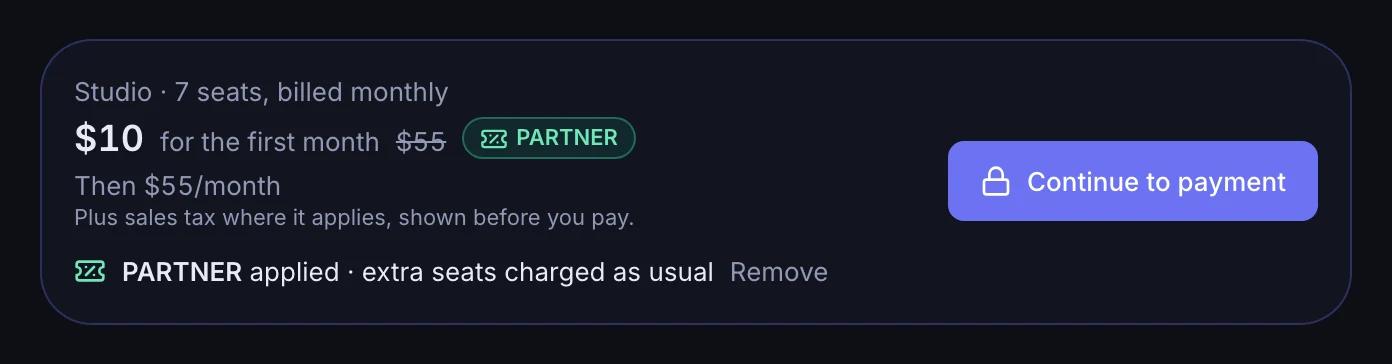
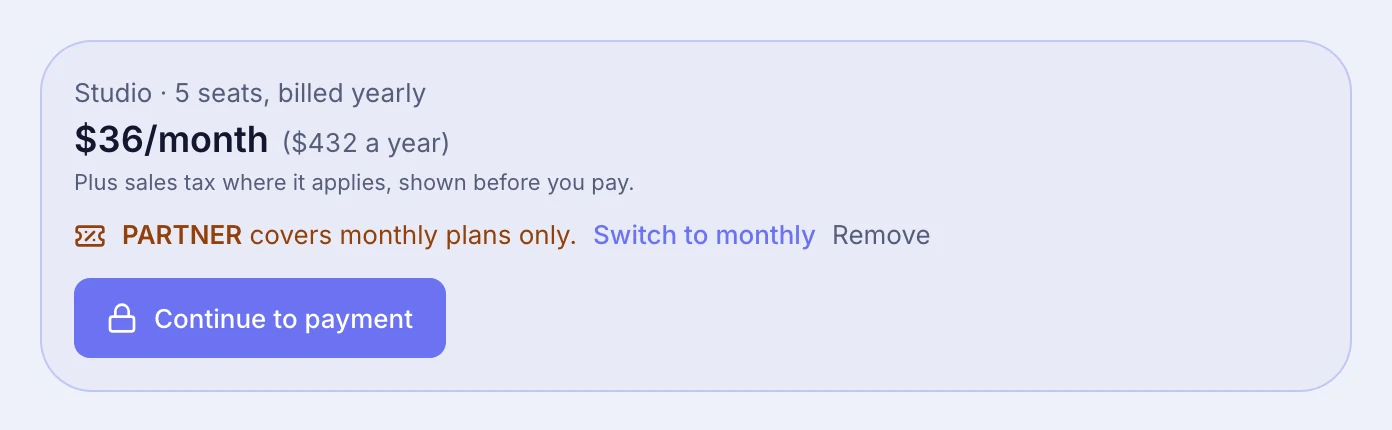
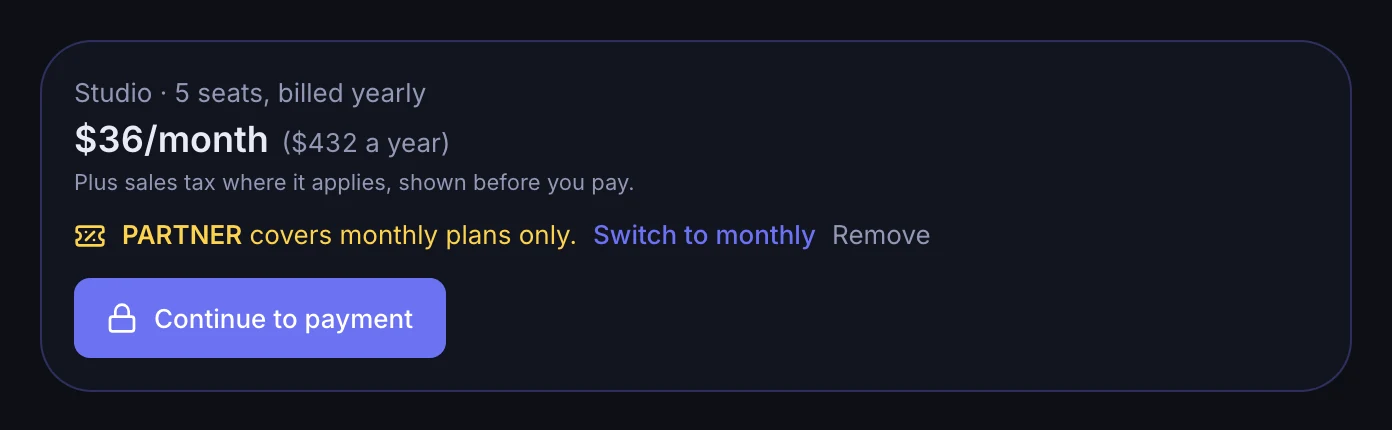
Changed your mind? Click Remove next to the code. You can always pay without it.
If a code does not work
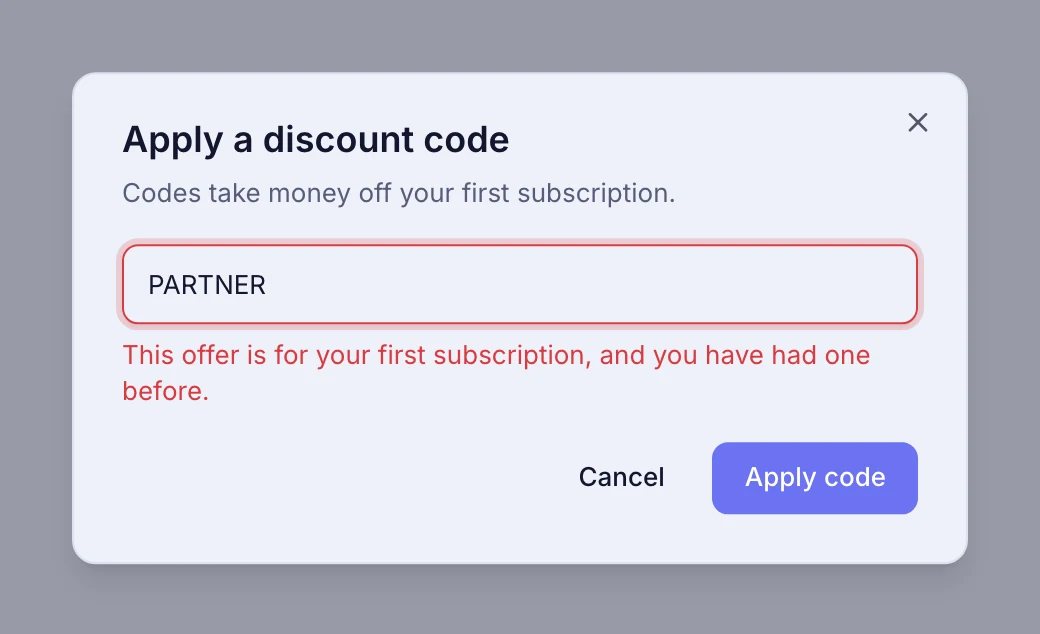
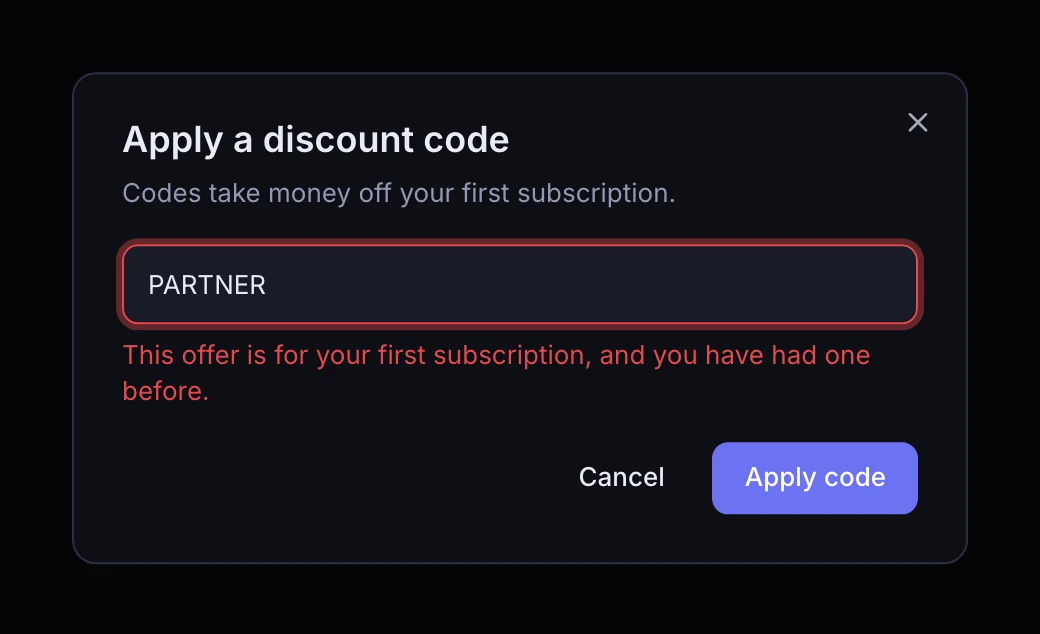
The popup tells you why. The usual reasons:
- You have had a subscription before. Codes are for a first subscription, on any workspace you own.
- Your email is not confirmed yet. Find our email and click its link, then try again.
- The code has expired or been used up. Ask whoever gave it to you for a new one.
- A typo. Check the letters. Codes have no spaces.
- Codes cannot be checked right now. Wait a minute and try again.
After the discount
When the discounted payment is over, your plan carries on at its usual price, on the card you added. Want to stop? Go to Settings, Billing and click Cancel at any time. You keep your plan until the end of the period already paid for, and you are not charged again.